Get the full bk88 experience on your phone. Download the official app for Android or iOS, or play instantly through your mobile browser — no complicated setup, all bets in Philippine Peso, available 24/7.
The bk88 app is available for Android and iOS. You can also access the full platform through any modern mobile or desktop browser — no installation needed.
Install the bk88 Android app directly on your Android phone or tablet. The APK file is downloaded from this page — no third-party store needed. Supports Android 6.0 and above.
iPhone and iPad players can download the bk88 app from the App Store. Requires iOS 13.0 or later. Works on all recent iPhone and iPad models with a smooth, native experience.
Prefer not to install an app? Open bk88.ceo in Chrome, Safari, or any modern mobile browser and access the full platform instantly. All games, live casino, and betting features are available — no storage used on your device.
The bk88 app brings the complete platform to your phone — slot games, live casino, sports betting, and promotions all in one place. Whether you're in Metro Manila during your lunch break, commuting through Cebu, or relaxing at home in Davao, the app keeps you connected to your account without needing to open a browser tab.
Your account, balance, and transaction history are exactly the same whether you log in through the app or the website. There's no separate registration, no different odds, and no features locked to one platform only. Everything syncs in real time — place a bet on the app, check the result on the browser, and your PHP balance reflects the outcome immediately.
The app is designed to run well even on mid-range Android handsets — the kind most commonly used across the Philippines. It doesn't require the latest flagship phone or a high-speed connection to function properly. Adaptive streaming and data-light mode options mean you can stay active on mobile data without burning through your load allowance.

The bk88 app runs on Android and iOS — full platform access in the palm of your hand
Installing the bk88 APK on Android takes less than two minutes
Installing the bk88 Android APK is straightforward. Follow these steps and you'll be logged in within a couple of minutes.
Before downloading the APK, go to your Android Settings and navigate to Security or Privacy. Look for "Install unknown apps" or "Allow installation from unknown sources" and enable it for your browser app (Chrome or your default browser). This setting is required for direct APK installs on Android.
Tap the "Download for Android" button on this page. The APK file will download to your phone's storage — you'll see a progress indicator in your notification bar. Wait for the download to complete before proceeding.
Once the download is finished, open your notification bar and tap the downloaded file, or navigate to your Downloads folder and tap the bk88 APK file. Your Android device will launch the installation screen.
On the installation screen, tap "Install." The process takes about 10–20 seconds. Once complete, you'll see an "App installed" confirmation. Tap "Open" to launch bk88 immediately, or find the bk88 icon in your app drawer.
Open the bk88 app and log in with your existing account credentials. If you're new to bk88, tap "Register" to create a free account directly inside the app. Registration is free and takes just a few minutes.
For iPhone and iPad users, installing the bk88 app works through the standard App Store process — no settings changes needed.
Tap the "Download for iOS" button on this page. You'll be directed to the bk88 listing on the App Store. Make sure you're signed in to your Apple ID before proceeding.
On the App Store page, tap the "Get" button. Authenticate with Face ID, Touch ID, or your Apple ID password when prompted. The app is free to download — no payment is required at this step.
iOS will download and install the bk88 app automatically. You'll see a progress indicator on the app icon on your home screen. The process typically takes under a minute on a standard mobile data connection.
Tap the bk88 icon on your home screen. Log in with your existing account, or tap "Register" to sign up directly from the app. Your PHP balance and account history will sync immediately after login.
iPhone and iPad players can install bk88 via the standard App Store process
The bk88 app isn't a stripped-down mobile version — it's the complete platform optimised for touch screens and mobile connections.
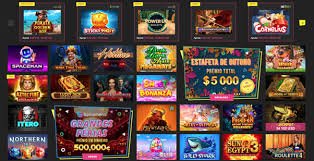
Browse and play the complete bk88 slot game catalogue from the app. Filters by provider, theme, and volatility work the same as on desktop — find your preferred slots quickly and launch directly into a game.
Join live baccarat, roulette, blackjack, and dragon tiger tables from the app. HD video streams with adaptive quality keep the experience smooth on both Wi-Fi and mobile data connections.
Place bets on basketball (PBA, NBA), football, volleyball, boxing, esports, and international leagues — all from the app. Live in-play betting with real-time odds updates is fully supported.
Deposit in Philippine Peso through GCash, Maya, local online banking, and mobile banking directly inside the app. Withdrawals to the same methods are processed from your bk88 dashboard without switching to a browser.
Enable push notifications to stay updated on promotions, account activity, sports results, and live bet outcomes. Notifications are optional and can be customised or turned off at any time in your app settings.
Log in using Face ID or fingerprint recognition on supported devices. Biometric login is faster than typing your password every session and adds an extra layer of security to your bk88 account on mobile.
Your bk88 account balance, bet history, and settings sync instantly across the app and browser. Switch between devices mid-session without losing your position or needing to log in again.
Check active promotions and claim available offers directly from the app's promotions section. Bonus credits and cashback updates appear in your account balance in real time.
Access bk88 customer support directly from the app. The live chat feature connects you with the support team without leaving the app — useful when you need account help mid-session.
Both options give you full access to bk88, but there are some practical differences worth knowing before you decide which one to use.
| Feature | Android App | iOS App | Mobile Browser | Desktop Browser |
|---|---|---|---|---|
| Installation Required | Yes (APK) | Yes (App Store) | No | No |
| Full Game Library | ||||
| Push Notifications | ||||
| Biometric Login | ||||
| Device Storage Used | Yes | Yes | No | No |
| Live Casino Streaming | ||||
| PHP Deposit / Withdrawal | ||||
| In-App Update Alerts | Auto (App Store) | Always current | Always current |
Both the app and browser versions of bk88 use the same PHP account balance and the same real-time odds. Choose whichever suits your device and habits.
bk88 runs smoothly on most Android and iOS devices used across the Philippines
The bk88 app is built to work on the phones most Filipinos actually use — not just the latest flagships. Here are the minimum requirements for each platform.
Security is a reasonable concern when installing a direct APK file or using a financial app on your phone. Here's what bk88 does to keep your account and data secure.
Every connection between the bk88 app and the platform servers is encrypted with SSL. This applies to login, transactions, live casino streams, and account data — all traffic is secured end to end.
Enable two-factor authentication (2FA) on your bk88 account for an added layer of login security. Even if someone knows your password, they can't access your account without the verification code sent to your registered number.
On supported devices, bk88 uses Face ID and fingerprint recognition for login. Biometric data stays on your device and is never shared with bk88 servers — it works through your phone's secure hardware.
Only download the bk88 APK from this official page at bk88.ceo. Do not install APK files from third-party websites, unofficial app stores, or links received through messages — only the version from this page is verified and maintained by bk88.